 +86-13662287276
Leave Your Message
-
CONTACT ISEE
-

-

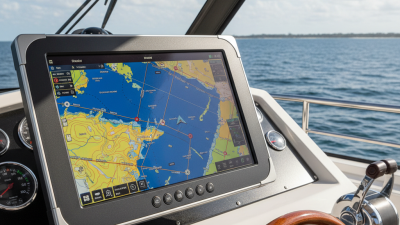
At sea, a display failure can begin with something small: salt mist on a bezel, glare across a radar image, or vibration loosening a connector. Marine-Grade Lcd Monitors are designed for these realities, not for quiet office conditions. Their value comes from controlled reliability under moisture, shock, temperature changes, and electromagnetic interference.
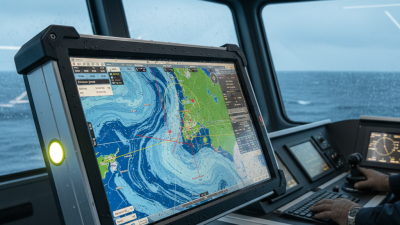
The Allianz Commercial Safety and Shipping Review 2024 recorded 26 total ship losses in 2023. That figure was lower than previous years, yet it still shows how demanding marine operations remain. Equipment must support decisions when visibility drops and workload rises. Marine displays commonly follow IEC 60945 requirements for marine navigation and radio equipment. These requirements address environmental testing, vibration, humidity, temperature, and electromagnetic compatibility. Bright, optically bonded screens can also reduce reflections on a bridge surrounded by windows and harsh sunlight.
The DNV Maritime Forecast to 2050 highlights growing digitalization across shipping. More connected systems create more dependence on readable, stable interfaces. A monitor should therefore provide more than a sharp image. It should maintain performance through long watch periods, engine-room vibration, and sudden weather changes.
No screen is indestructible. That matters.
Poor installation, weak cable protection, or neglected maintenance can still cause failure. Buyers should verify ingress protection, operating temperature, brightness, viewing angle, input compatibility, and certification claims. A practical test is simple: can the operator read critical information at noon, during spray, and under red night lighting? Choosing the right Marine-Grade Lcd Monitors means matching specifications with the vessel’s actual route, workspace, and operational risk.
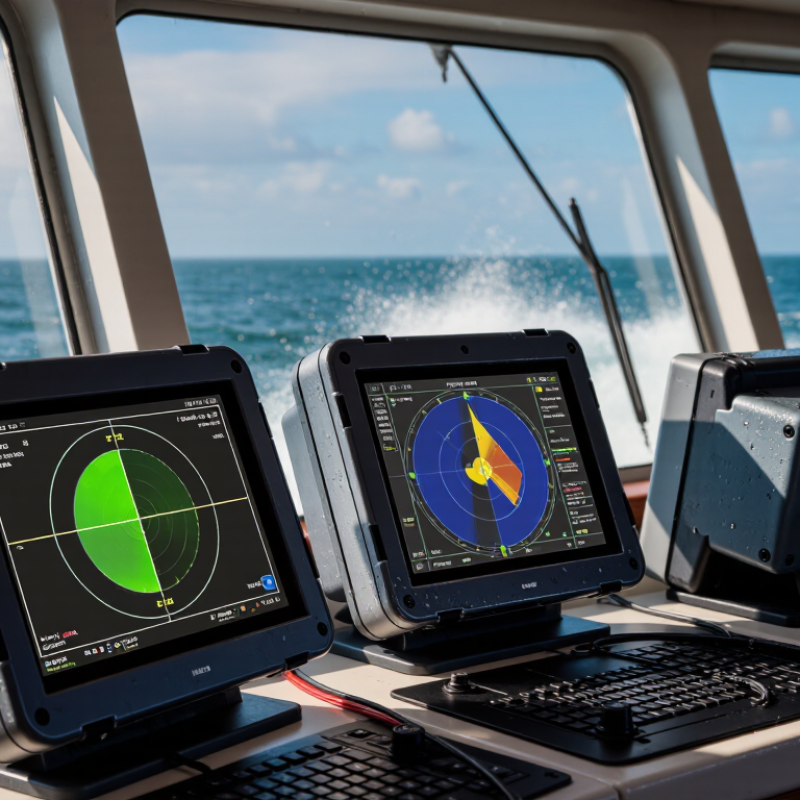
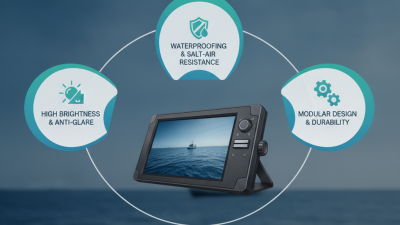
A marine-grade LCD monitor is built for salt spray, vibration, sunlight, and sudden temperature changes. Its enclosure should resist corrosion and prevent water intrusion. Look for a suitable IP rating, sealed connectors, and materials designed for marine environments. Ordinary office displays may fail after repeated exposure to damp air.
Visibility matters just as much. A true marine display uses high brightness, strong contrast, and an anti-glare surface. It should remain readable through a wheelhouse window at noon. Optical bonding can reduce internal reflections and condensation. Wide viewing angles help crews share navigation data without leaning toward the screen. Glove-friendly controls and automatic dimming also improve operation during night watches. These details sound minor. They are not.
Tips: Check test reports, operating temperature ranges, and vibration ratings before installation. Confirm the monitor supports the vessel’s power system and electromagnetic compatibility requirements. Allow airflow around the housing, even when the enclosure is sealed. A sealed monitor can still overheat. I have seen installation plans overlook this point. No display is indestructible. Salt deposits, poor cable glands, and incorrect mounting can defeat good engineering. Select a monitor with practical protection, then inspect it regularly under real onboard conditions.
| Design Dimension | What to Look For | Why It Matters at Sea | How to Verify It |
|---|---|---|---|
| Water and dust protection | A stated IP rating under IEC 60529. IP66, for example, means dust-tight protection and protection against powerful water jets; it does not mean protection against immersion. | Spray, rain, and airborne dust can damage electronics or interrupt display operation. | Check the rating for the assembled monitor and confirm whether it applies to the front, rear, or entire enclosure. |
| Sunlight readability | High measured luminance, often around 1,000 cd/m² or more for displays intended for bright outdoor viewing, plus effective anti-glare treatment. | Bright daylight and reflections can make a standard indoor screen difficult to read. | Review the specified brightness, viewing-angle data, and surface treatment; brightness alone does not guarantee readability. |
| Operating temperature | A published operating-temperature range suited to the installation location. The range varies by model and is not defined by the term “marine-grade.” | Cabin heat, direct sun, cold starts, and changing weather can affect performance and service life. | Compare the datasheet range with expected ambient temperatures and check any limits on brightness or touch operation. |
| Salt and corrosion resistance | Corrosion-resistant enclosure materials, protected connectors, and documented environmental testing where required. IEC 60068-2-52 describes cyclic salt-mist testing. | Salt deposits and humid air can corrode exposed metal parts and electrical connections. | Ask for the test method and results, and inspect connector and mounting-hardware specifications. |
| Vibration and shock tolerance | A mounting design and documented vibration or shock performance appropriate to the vessel and installation. | Engine vibration, wave impacts, and vessel movement can loosen mounts or stress internal components. | Check the installation instructions and test reports. IEC 60945 includes environmental tests for applicable maritime navigation and radiocommunication equipment. |
| Electromagnetic compatibility | Documented emissions and immunity performance appropriate to nearby radios, navigation equipment, and other electrical systems. | Electrical interference can disrupt a display or affect nearby communications and navigation equipment. | Request applicable EMC test documentation. IEC 60945 is relevant to certain maritime navigation and radiocommunication equipment, but is not a universal monitor certification. |
| Power input protection | A clearly specified input-voltage range and suitable protection against electrical disturbances for the vessel’s power system. | Supply voltage can vary, and switching loads may introduce electrical noise or transients. | Match the monitor’s input range and protection details to the vessel’s actual DC or AC supply; do not assume all marine monitors use the same voltage. |
| Glove and moisture usability | If touch control is needed, confirm operation with the intended gloves and in the expected moisture conditions. | Operators may need to use controls with wet hands or while wearing work gloves. | Check the touch technology and test it with the actual gloves and operating conditions; touch performance is model-dependent. |
Marine-grade is not one universal specification. Confirm that each claimed rating or test applies to the complete monitor and suits its intended location aboard the vessel.