How to Choose Marine Grade LCD Monitors for Your Needs?
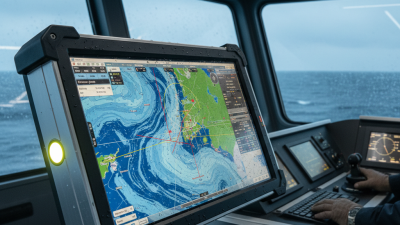
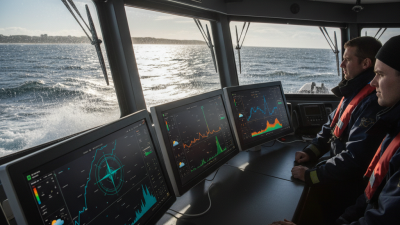
Choosing the right Marine-Grade LCD Monitors can be challenging. These monitors are designed specifically for the harsh marine environment. They must withstand humidity, salt spray, and vibrations. Not all LCD monitors meet these demands, so it's crucial to understand what features to look for.
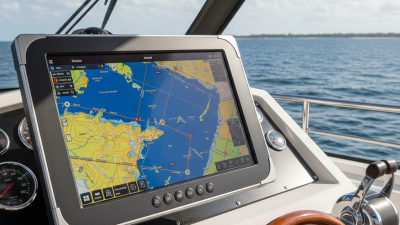
When selecting Marine-Grade LCD Monitors, consider display clarity and size. A larger screen improves visibility against the sun’s glare. Additionally, brightness levels should be high to ensure readability. Durability is another factor; look for models with rugged casings. They must resist corrosion and endure impacts.
It’s also essential to evaluate the manufacturer’s reputation. Trusted brands often provide better warranties and customer service. Reviews from fellow boaters can offer practical insights. Remember, the right monitor enhances your navigation experience. Reflect on your unique needs before making a decision. Investing time now can prevent frustrations later.
Understanding Marine Grade LCD Monitor Specifications
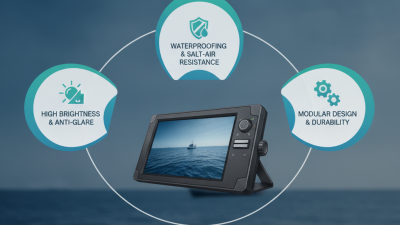
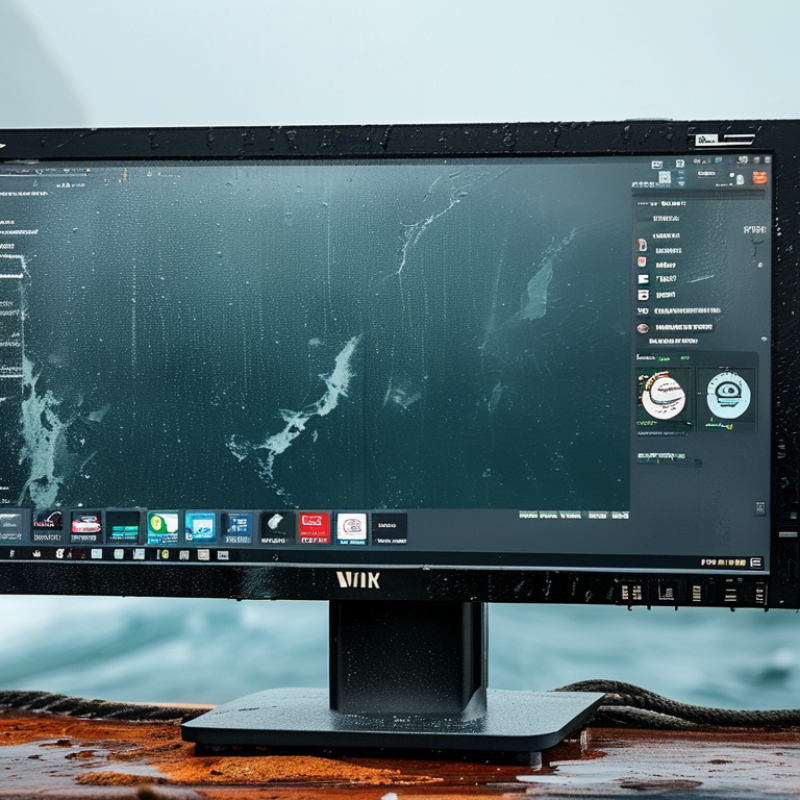
When considering marine grade LCD monitors, understanding specifications is crucial. Marine environments demand equipment that can withstand harsh conditions. Look for monitors that offer corrosion resistance, high brightness, and wide temperature ranges. These features ensure visibility and functionality, even under direct sunlight or extreme weather.
Tips: Check the IP rating. A higher rating indicates better protection against water and dust. Invest in a monitor with an anti-reflective coating. This will enhance visibility on the water’s surface.
Don’t overlook the display size. Choose a size that fits your workspace while ensuring readability from a distance. Consider mounting options. Fixed or tiltable mounts help adapt to different viewing angles. A poorly positioned monitor could lead to strain and reduce effectiveness.
Lastly, examine connectivity options. Ensure compatibility with your existing systems. HDMI, VGA, or specialized marine connections may be necessary. Remember to assess the warranty period too. A solid warranty reflects the manufacturer’s confidence in their product.
Marine Grade LCD Monitors Specifications Comparison
Evaluating Environmental Resistance and Durability
When selecting marine grade LCD monitors, evaluating environmental resistance is essential. Monitors used in marine environments face harsh conditions. High humidity, salt spray, and extreme temperatures are common challenges. Look for monitors with enclosures rated for water resistance and corrosion resistance. An IP68 rating indicates a high level of protection against dust and water intrusion. This is crucial for longevity.
Durability is another vital factor. Marine monitors must withstand vibrations and shock from waves. Check if the monitor is tested for impact resistance. A rugged build can make a significant difference in performance. Consider features like anti-reflective coatings to enhance visibility in bright sunlight. However, not all materials hold up equally. For instance, some plastics may degrade faster than others when exposed to UV rays.
It's easy to overlook these details in the selection process. A monitor might seem fine at first glance, but its long-term performance can vary. Evaluate your specific needs before purchasing. Real-world testing can reveal hidden vulnerabilities. Collect reviews and feedback from users in similar environments to inform your decision. This hands-on knowledge helps refine your choices. Choose wisely to ensure that your investment lasts.
Assessing Display Quality: Brightness, Contrast, and Visibility
When selecting marine-grade LCD monitors, assessing display quality is crucial. Brightness is one key factor. A monitor should have sufficient brightness to combat sunlight reflections. Reports suggest that marine environments require displays with a minimum of 1,000 nits for clear visibility during the day. Even at night, adequate brightness helps reduce eye strain.
Contrast ratio is another vital element. A higher contrast ratio ensures that colors are vibrant and details are discernible, even in bright conditions. For marine-grade applications, a contrast ratio of at least 1000:1 is recommended. This ratio enhances the display's clarity, especially when navigating under varying light conditions.
Tips: Ensure the monitor has anti-glare features. This reduces reflections and improves visibility. Remember to check for a wide viewing angle. A viewing angle of 170 degrees can provide better visibility from various positions. Users sometimes overlook these aspects, leading to less effective installations. Balancing brightness, contrast, and additional features can make a significant difference in usability. Recognizing that no monitor is perfect can help you make a more informed choice.
How to Choose Marine Grade LCD Monitors for Your Needs?
| Dimension |
Description |
Example Value |
| Brightness |
Measured in nits; indicates how well the display can be viewed under various lighting conditions. |
1000 nits |
| Contrast Ratio |
The ratio between the brightest white and the darkest black the display can produce. |
1000:1 |
| Viewing Angle |
The maximum angle at which the display can be viewed without significant loss of quality. |
178 degrees |
| Response Time |
How fast the display can change from one color to another, crucial for reducing motion blur. |
5 ms |
| Power Consumption |
The amount of electrical power the display uses, important for energy efficiency. |
50 Watts |
| Operating Temperature |
The range of temperatures in which the display can operate effectively. |
-20°C to 60°C |
| Water Resistance Rating |
Indicates the display’s ability to resist water ingress; commonly rated IP68 for marine use. |
IP68 |
Choosing the Right Size and Resolution for Your Applications
When choosing marine grade LCD monitors, size and resolution are crucial factors. The right size ensures visibility in various marine environments. A larger screen can enhance readability but may take up more space on your vessel. Conversely, a smaller display can be discreet but might limit accessibility. Assess your workspace to determine the best fit for your needs. The layout of your bridge or cabin will influence this decision.
Resolution is another important aspect to consider. Higher resolution displays provide clearer images and better detail. In critical situations, clarity can be a lifesaver. But sometimes, too high a resolution might create excess glare or require more power. Balance your need for detail with the practical aspects of your setup. Reflect on the lighting conditions where the monitor will be used. A screen that looks great in a showroom may not perform well in direct sunlight.
Ultimately, it’s about finding a compromise that meets your specific requirements. Analyze your daily use cases and consider feedback from others in the marine field. Your final decision should prioritize functionality over aesthetic appeal. Be open to reassessing your choice later, knowing that needs may change.
Exploring Connectivity Options and Compatibility Features
When selecting marine grade LCD monitors, connectivity options are crucial. Look for ports that cater to your specific needs. HDMI and VGA ports are common, but consider your devices. Does your system require USB-C? Having versatile connections ensures compatibility with various equipment.
Compatibility features play a vital role in performance. Ensure the monitor supports your existing technologies. Check for marine certification. This will guarantee durability against harsh conditions. Pay attention to resolution and brightness as well. A higher resolution enhances visibility in bright sunlight.
However, don't overlook ergonomic design. Monitors should be easy to read and adjust in challenging marine environments. Sometimes, advertised specifications may not meet real-world applications. A trial period can help validate your choice. Be willing to reconsider if the first option doesn't fit seamlessly into your setup.

 +86-13662287276