Leave Your Message

What Are the Best Marine Grade LCD Monitors?

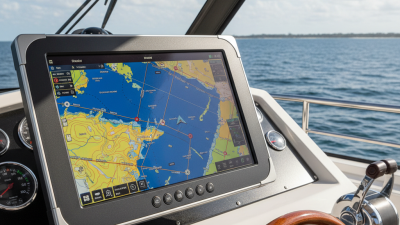
Choosing the best Marine-Grade Lcd Monitors starts with the conditions on your vessel, not the size of the screen. A display at an exposed helm faces salt spray, direct sun, vibration, and sudden temperature changes. Below deck, glare may matter less than readable charts, dependable touch response, and clear viewing angles. The right choice depends on where the monitor will sit and what it must show.

Marine systems author Nigel Calder provides a useful reference point for evaluating equipment in demanding onboard environments. A practical takeaway—not a verbatim Calder quotation—is: “Choose a display for the conditions it must endure, not just the features listed on its box.” That distinction is easy to overlook. A bright panel can still wash out beneath a midday sun, while a sealed enclosure may complicate installation or servicing. Small details matter.

This guide compares key features, including brightness, screen technology, ingress protection, connectivity, and mounting options. It also considers how manufacturers describe their products, so readers can distinguish useful specifications from vague claims. No monitor suits every helm. A compact wheelhouse and an open flybridge ask different things of a screen. The trade-offs deserve attention. Specifications help, but they do not replace checking how a display performs in your actual layout, lighting, and operating conditions.
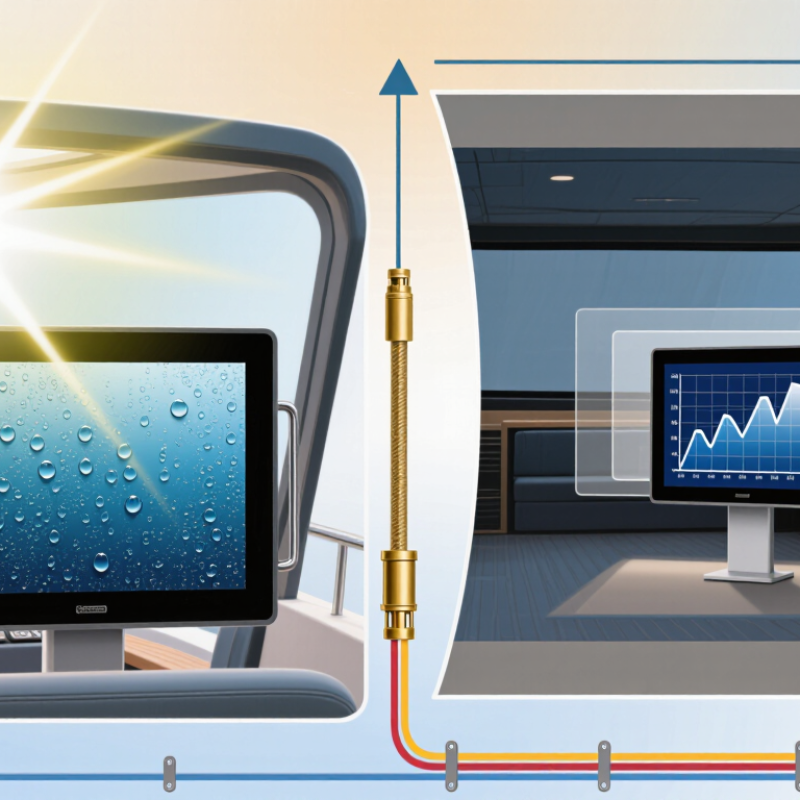
What Are the Best Marine Grade LCD Monitors?

What Defines a Marine-Grade LCD Monitor?

A marine-grade LCD monitor is built to keep working where ordinary displays may fail: near salt spray, damp air, vibration, and changing temperatures. The label alone proves little. Check the manufacturer’s stated ingress-protection rating and confirm which surfaces it covers. A sealed front does not necessarily mean the rear connections are protected.

Corrosion-resistant materials, sealed cable entries, and secure connectors help limit damage from moisture and salt. The screen should also remain readable in bright daylight, with brightness and contrast suited to the mounting position. On a helm, reflections can obscure important details at the worst moment. Touch controls need to respond reliably with wet hands or gloves, if the model is designed for touch operation.

That matters. Temperature range and vibration tolerance deserve attention too, especially when a display is mounted near engines or exposed on deck. Review test conditions, not just headline specifications; real installation can change performance. A monitor may meet a rating in a controlled test yet need careful mounting and cable routing aboard a vessel. “Marine-grade” is not one universal standard, and I would not treat it as a guarantee of durability. Check the specific rating, operating limits, and installation guidance against the conditions where the screen will actually be used.
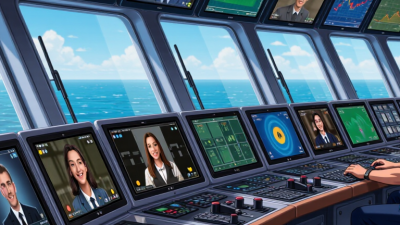
Environmental and Display Requirements for Marine Use

What Are the Best Marine Grade LCD Monitors?

Environmental and Display Requirements for Marine Use

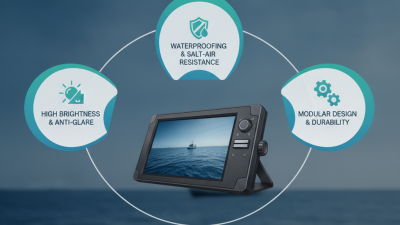
A marine LCD monitor must keep working through spray, vibration, temperature shifts, and long hours of operation. Salt finds gaps. Look beyond the screen’s enclosure rating: connectors, cable entries, and mounting points also affect protection. Check the manufacturer’s documented limits for the complete assembly, including operating temperature and resistance to vibration. A panel rated for harsh conditions may still need careful installation to prevent moisture buildup behind its housing.

Visibility matters as much as durability. Direct sunlight can wash out details, while reflections from water make glare worse. A high-brightness display with an anti-reflective surface can help, but brightness alone is not enough; contrast and viewing angle matter from the helm. Optical bonding may reduce internal reflections and condensation, though it can add cost. At night, adjustable dimming helps preserve dark adaptation. Controls should remain usable with wet hands or gloves, if the design supports them.

Match the display to its location and task. A chart monitor near a window faces different light than an engineering display below deck. Confirm that touch input, video connections, and power requirements fit the vessel’s equipment. Specifications can look reassuring on paper. I would still check how the screen performs at the actual viewing distance, in midday glare, and at its lowest useful brightness.

Key Features for Comparing Marine LCD Monitors

Comparing marine LCD monitors starts with conditions at the helm, not the product sheet. On an open bridge, look for high brightness, anti-reflective treatment, and optical bonding that limits internal reflections. Brightness figures help, but sunlight angle and a scratched cover can still wash out a chart. Test it at midday. Check whether dimming reaches a comfortable level for night watches without losing important detail.

Salt spray, condensation, vibration, and temperature swings expose weak enclosures quickly. Review the stated ingress protection, operating temperature range, and corrosion-resistant materials, then confirm the mounting arrangement. A sealed front panel matters, yet connectors and cable entries need equal attention. Touch operation should remain predictable with damp hands or thin gloves; try common chart controls before installation. Even so, glove performance varies.

Match inputs and resolution to the navigation computer, camera, or instrument system already aboard. Confirm power requirements, startup behavior, and whether the display handles brief voltage changes on the vessel. Ask about electromagnetic compatibility and vibration testing, and inspect the installation manual rather than relying on a sales claim. A monitor may look rugged and still be awkward to service. Leave room behind it for ventilation, connectors, and future replacement. Record brightness, viewing angle, and warranty conditions alongside the quoted ingress rating.

Common Marine Monitor Types and Their Applications

Marine LCD monitors serve different roles, so the right type depends on where people view it and what they need to see. At an open helm, sunlight-readable displays with high brightness and anti-glare surfaces help keep charts visible. Optical bonding can reduce reflections and limit moisture between screen layers. Visibility matters. Yet a bright panel may still wash out when viewed through polarized sunglasses, so check the display in its intended position.

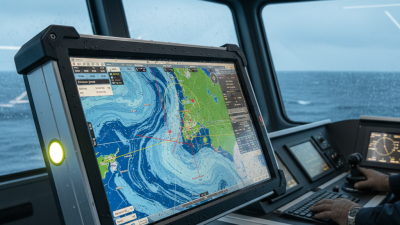
Multifunction monitors combine chart, radar, and system information on one screen, which can reduce clutter at a compact helm. Panel-mount displays suit fixed consoles, while ruggedized models are often better for engine rooms exposed to vibration, dust, or temperature changes.

Look beyond the enclosure rating: confirm the specified operating temperature, vibration resistance, and touch response with wet hands or gloves. In a wheelhouse, viewing angle matters when several crew members share the screen. Cabins may use lower-brightness displays for monitoring or entertainment, where direct sunlight is less of a concern.

Fit is rarely perfect. Cable access, glare, and available console space can complicate an otherwise sensible choice, so measure the opening and test visibility before installation.

How to Choose the Right Monitor for Your Vessel

Choosing a marine-grade LCD monitor starts with its actual location aboard your vessel. A display at an exposed helm needs strong sunlight readability, sealed protection against water and dust, and a wide viewing angle. Check the specified ingress rating and operating-temperature range rather than relying on “marine” in a product description. Glare can make a bright screen hard to read, too. Stand where you normally steer and check whether the image stays clear from that position. Small details matter.

Next, match the monitor to your equipment and power system. Confirm input connections, supported resolutions, voltage requirements, and available mounting space before ordering. If the screen will be operated with wet hands or gloves, test whether its touch controls respond reliably; some installations work better with physical buttons. Consider vibration and cable strain, especially near a console edge. A tidy installation helps, but it does not guarantee dependable operation. I would not choose solely by screen size or peak brightness: those figures can look impressive while overlooking glare, viewing distance, or heat buildup. Review the installation instructions and vessel’s electrical limits, and ask a qualified marine technician when compatibility is uncertain. It is worth checking twice.

What Are the Best Marine Grade LCD Monitors? - How to Choose the Right Monitor for Your Vessel

Selection guidance and example specification ranges; confirm the final requirements against the vessel’s installation conditions and applicable regulations.
Vessel Use Suggested Screen Size Typical Resolution Brightness Guidance Environmental Protection Installation Checks
Small craft helm 7–10 inches 800 × 480 to 1280 × 800 About 700–1,000 cd/m²; higher brightness can improve daytime readability. For exposed installations, look for a sealed front and a clearly stated water-resistance rating. IP65 indicates dust-tight protection and resistance to water jets; it does not mean immersion-proof. Check sunlight glare, viewing angle, mounting depth, touch operation with wet hands, and available power.
Cruising yacht or cabin navigation station 10–16 inches 1280 × 800 to 1920 × 1080 About 500–1,000 cd/m², depending on whether the screen is shaded or exposed to daylight. Match the front-panel protection to the actual splash and spray exposure; protect rear connectors from moisture and condensation. Confirm compatibility with navigation equipment, input connections, dimming range, night-mode usability, and heat dissipation.
Commercial vessel or exposed bridge 15–24 inches 1920 × 1080 or higher, subject to system requirements Typically 1,000 cd/m² or more for demanding daylight conditions; verify readability in the intended mounting position. Consider a higher front-panel rating where spray exposure warrants it. IP66 protects against powerful water jets; IP67 includes specified temporary immersion testing, but ratings apply only under stated conditions. Review shock and vibration suitability, electrical isolation, connector sealing, operating-temperature range, and any required marine approvals.
Engine room or machinery space 7–15 inches, based on viewing distance 800 × 480 to 1920 × 1080 Choose for the space’s lighting; brightness alone does not ensure readability through reflections or protective covers. Check the monitor’s documented operating-temperature range and resistance to dust, oil mist, vibration, and humidity as relevant to the location. Allow for ventilation and service access; verify that cables and connectors are suitable for the installation environment.

Key Selection Criteria

Criterion What to Verify
Daylight visibility Compare measured brightness, anti-glare treatment, viewing angle, and optical bonding where offered. Test visibility from the normal helm position if possible.
Water and dust protection Check which parts the IP rating covers, how the unit must be mounted, and whether connector covers or installation seals are required. An IP rating does not by itself establish suitability for every marine environment.
Marine suitability For regulated or safety-critical installations, verify required approvals and test evidence, such as applicable IEC 60945 requirements, with the vessel designer, integrator, or relevant authority.
Power and connectivity Confirm the supported supply voltage, current draw, input formats, cable lengths, and connection compatibility with the equipment that will drive the display.
Night operation Look for a sufficiently low dimming level and check whether the monitor supports the vessel’s preferred night-vision practices and control setup.