 +86-13662287276
Leave Your Message
-
CONTACT ISEE
-

-

Choosing a display by its advertised viewing angle alone can be misleading. At a busy control room, a glossy screen may look crisp from the center seat, then lose contrast when viewed from the side. Wide Viewing Angle Displays are designed to preserve usable color and brightness across more positions. The real test is what remains visible off-axis.
The Society for Information Display’s Information Display Measurements Standard (IDMS) provides methods for evaluating display performance, including viewing-angle behavior. Omdia’s Display Long-Term Demand Forecast tracks panel shipments and display-area trends, useful context as screens appear in more shared and public settings. These sources do not make every panel comparable by one headline number. Check the measurement method, the angle tested, and whether brightness or contrast changes at that point.
DisplayMate founder Dr. Raymond Soneira’s work highlights a practical lesson: judge a display by measured image quality, not specifications alone. That is a paraphrase, not a direct quotation. Compare panels in person when possible. Move sideways. Watch skin tones, small text, and dark scenes; note when colors wash out or blacks turn gray. Then check the panel type, coating, and installation distance against your actual use. A wide angle can help, but room reflections may still be the weak point. That deserves a second look.
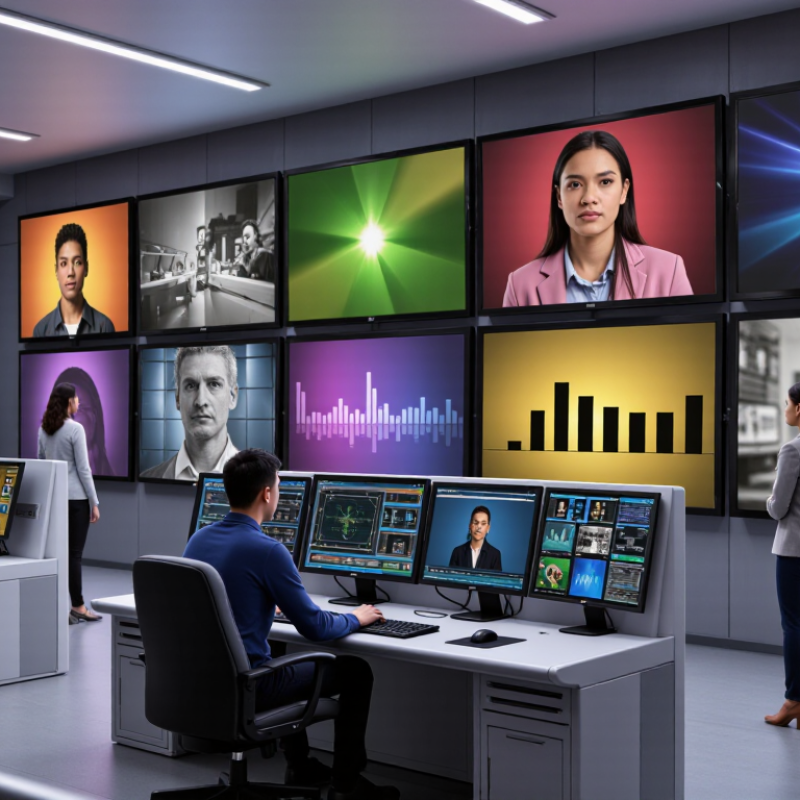
A wide viewing angle display keeps its picture usable when viewed away from the center. “Usable” matters more than a single impressive angle figure. At a desk, several people may look at a screen from different seats, while a control panel may be viewed from above or below. In these situations, text should remain legible, and colors should not shift dramatically.
Viewing angle is often specified horizontally and vertically, measured from the screen’s perpendicular centerline. Yet the figure alone does not describe how the image changes. Check whether brightness falls, dark areas lose detail, or colors look washed out as you move sideways. A display may retain a visible image at a wide angle but still show distracting contrast changes. The label alone is not enough.
Panel design and surface treatments both affect off-axis performance, so compare displays under similar conditions. Stand at the expected positions, view a gray test image, and check small text against a dark background. Then try real content. Reflections from a nearby window can make a capable screen seem worse; I’ve seen this detail get overlooked. Also confirm whether the stated angle uses a clear visibility threshold, since measurement methods can differ. A little skepticism helps. The best choice is the one that stays readable in your actual space, not merely the one with the largest number.
| Factor | Typical Specification or Behavior | What It Means in Practice | What to Check When Choosing |
|---|---|---|---|
| Viewing-angle measurement | Many display specifications quote horizontal and vertical angles, such as 178°/178°. The measurement criterion may be based on a minimum contrast ratio, often 10:1. | The quoted angle is generally the full viewing cone, measured from one side to the other—not the angle from the screen’s centerline in just one direction. | Check the measurement method and contrast-ratio threshold. Specifications using different criteria are not directly comparable. |
| IPS LCD panels | Frequently specified near 178° horizontally and vertically, although performance varies by panel and model. | Usually retain color and image appearance well when viewed off-center. Contrast and black levels can still change at steep angles. | Look for independent off-axis testing if consistent color is important for shared viewing, design work, or presentations. |
| VA LCD panels | Some models also quote angles near 178°/178°; published figures alone do not show how much color or gamma shifts occur. | Can offer strong on-axis contrast, while dark tones, gamma, or colors may look different from the side, depending on the panel. | Compare side-view photographs or measurements, especially if viewers will sit well away from the screen’s center. |
| TN LCD panels | Often have narrower or less consistent off-axis performance than IPS or OLED; exact angles vary by model and test criterion. | Color and brightness can shift noticeably when the screen is viewed from above, below, or from the side. | View the screen from the intended seating positions before buying, or choose another panel type when broad-angle sharing is a priority. |
| OLED panels | Commonly described as having wide viewing angles, but the amount of brightness or color change depends on the panel design. | Typically maintain image contrast well off-axis; subtle tint or brightness changes may still be visible at extreme angles. | Check real-world viewing tests rather than treating a wide-angle claim as a guarantee of identical color from every position. |
| Screen coating and reflections | Matte and glossy finishes affect reflections differently; neither finish by itself defines the panel’s viewing angle. | Reflections can reduce perceived contrast and make an otherwise wide-angle screen harder to see from the side. | Consider room lighting, windows, and overhead lights alongside panel viewing-angle performance. |
| Best practical test | View a neutral gray image, skin tones, dark scenes, and small text from the center and intended off-center positions. | A screen is suitably wide-angle when important details remain clear and color or brightness changes are acceptable for the viewing setup. | Match the display to seating distance, number of viewers, screen size, and color-critical needs—not just the largest advertised angle. |
Note: Viewing-angle figures are manufacturer specifications and can use different test methods. Actual results depend on the panel, image content, brightness, and viewing environment.