What Is a Glove Compatible Touchscreen?
A glove-compatible touchscreen is designed to recognize input through a glove, rather than requiring bare skin. This capability matters in cold warehouses, hospitals, workshops, and outdoor control rooms. A worker may need to tap a bright display while wearing insulated, nitrile, leather, or conductive-fiber gloves. The screen must detect that touch accurately, without demanding repeated pressure.
Glove-Compatible Touchscreens usually rely on enhanced capacitive sensing, larger touch targets, or carefully tuned sensitivity. Some systems also use resistive technology, which responds to physical pressure. Performance depends on glove thickness, material, moisture, screen settings, and the user’s touch angle. A thin conductive glove may work immediately. A thick winter glove may not. Not every “glove-friendly” label means the same thing.
Real-world evaluation should include short taps, swipes, edge touches, and two-finger gestures. Test the device with the exact gloves used on site. Try it near a cold loading door, where stiff fabric can reduce control. Wet fingertips, screen protectors, and heavy dust can create additional problems. Manufacturers often publish glove compatibility data, but those results may reflect controlled conditions. That limitation deserves attention.
A reliable choice balances sensitivity, durability, brightness, and accidental-touch prevention. It should also provide clear feedback after each command. A missed tap can delay work. A false tap can change a critical setting. Understanding these trade-offs helps buyers select a touchscreen that performs consistently, not merely one that sounds compatible.
Definition and Core Function of a Glove-Compatible Touchscreen
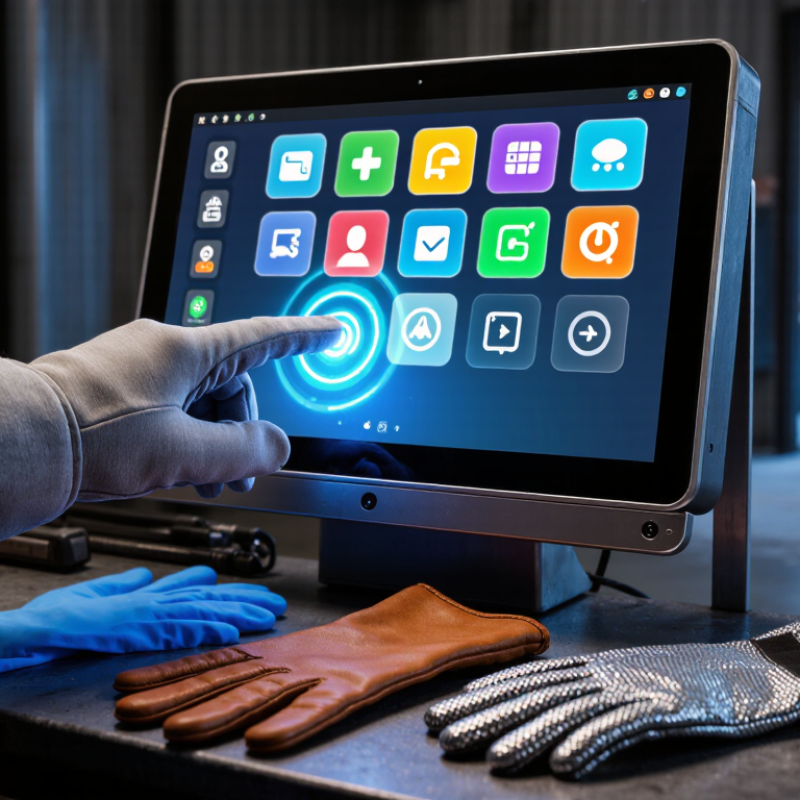
A glove-compatible touchscreen is a display that detects finger input through selected gloves. Its core function is simple: it must recognize touch without direct skin contact. Standard capacitive screens measure changes in an electrical field. Ordinary fabric often blocks that signal, causing missed taps or delayed responses. Glove-compatible designs use stronger sensing, conductive glove materials, or software tuned for reduced signal strength. In practical testing, a worker can tap a control panel while wearing insulated gloves. The screen should respond clearly, even with light pressure and a slightly rough fingertip.
Tips: Check glove thickness and material before use. Conductive fibers usually improve accuracy. Keep the screen clean and dry. Moisture, dust, or folded fabric may create false touches. Test swipes, small buttons, and long presses, not only single taps.
Reliable performance also depends on the touchscreen controller and the surrounding environment. Cold conditions can stiffen gloves, while heavy layers may reduce contact. I have found that “compatible” does not always mean equally responsive. Some screens detect a gentle tap but fail during a slow drag. This matters in warehouses, workshops, and outdoor work areas where users cannot remove protection. A dependable system should provide stable input, readable feedback, and enough sensitivity for real operating conditions. Small design compromises still deserve attention.
How Glove-Compatible Touchscreens Detect Touch Through Materials
A glove-compatible touchscreen detects touch through materials by measuring changes in an electric field. Most systems use projected capacitive sensing. Tiny electrodes sit beneath glass, plastic, or protective films. When a finger approaches, it changes the local capacitance.
Ordinary fabric interrupts that electrical connection. A compatible system compensates through stronger signal processing, larger sensing areas, or tuned electrode patterns. Some gloves include conductive fibers. These fibers transfer a small electrical signal through the material. Others rely on higher sensitivity to detect the wearer’s body capacitance indirectly. The controller filters noise from water, dust, vibration, and moving hands.
Thickness matters. A thick winter glove creates a larger gap between the finger and sensor. The signal becomes weaker. Touch engineers may increase drive voltage, adjust firmware thresholds, or redesign the sensor grid. These changes can improve detection, but they may also cause false touches. Real testing remains essential.
MarketsandMarkets’ 2024 Touchscreen Controller Market report projects growth from about 14.5 billion dollars in 2023 to 23.7 billion dollars by 2028. This growth reflects demand for reliable human-machine interfaces, including industrial equipment. However, market growth does not prove every glove-compatible design performs equally well. A laboratory glove may work perfectly. A wet, dusty glove may fail quickly. That uncomfortable detail is often overlooked. According to IEC 61000-4-2 testing guidance, electrostatic discharge can also disturb touch electronics, so designers must test more than simple finger contact.
Key Technologies Used in Glove-Compatible Touchscreens
What Is a Glove Compatible Touchscreen?
Key Technologies Used in Glove-Compatible Touchscreens
A glove-compatible touchscreen detects touch through fabric, leather, or layered protective material. Standard capacitive screens often fail because gloves block the body’s electrical signal. Newer designs compensate by detecting smaller changes in the electromagnetic field. This allows users to operate equipment during cold weather or industrial work.
Projected capacitive technology is the main solution. It places a transparent electrode grid beneath the display surface. Mutual-capacitance sensing compares signals between intersecting electrodes. Self-capacitance sensing measures changes at individual electrodes. Both methods can detect a gloved finger, although they respond differently to moisture and contact size. A sensitive touch controller also matters. It filters electrical noise and adjusts detection thresholds in real time.
Signal processing improves reliability. The controller can identify a slow press, a brief tap, or a sliding movement through thick fabric. Some systems use larger touch targets because gloves reduce precision. Materials create another variable. Thin textile gloves may work well, while insulated or wet gloves can weaken the signal. Testing should include different pressure levels, temperatures, and glove surfaces. In practical evaluations, performance can look excellent on a clean workbench but decline near motors or fluorescent lighting. That gap deserves attention. Glove compatibility is not automatic, and higher sensitivity can sometimes cause accidental touches. Engineers must balance responsiveness, rejection of false inputs, and safe operation in the user’s actual environment.

 +86-13662287276