+86-13662287276

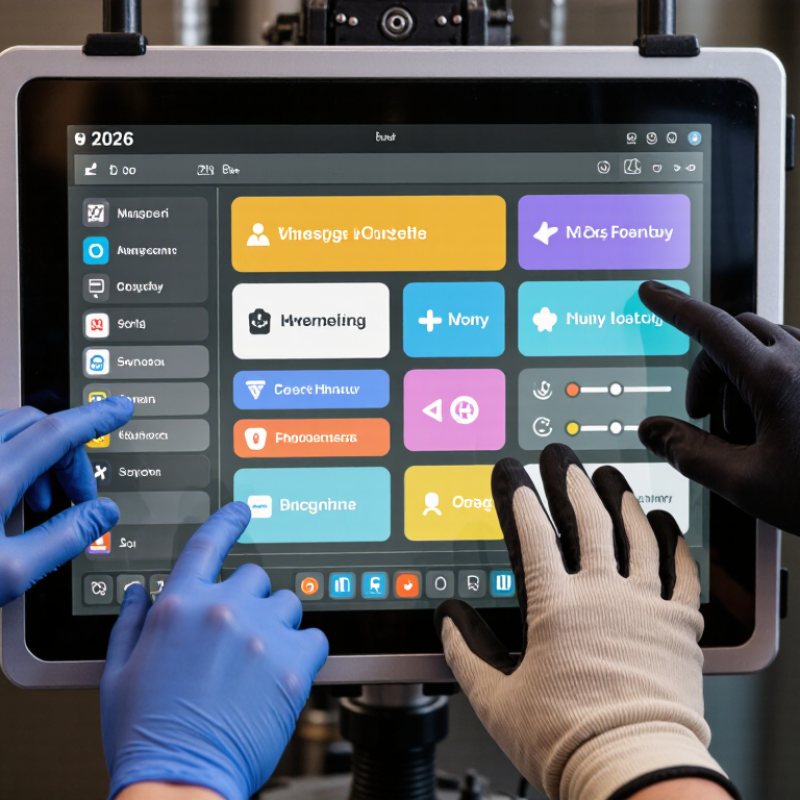
Choosing the right Glove-Compatible Touchscreens in 2026 requires more than checking a product label. Operators may wear nitrile, leather, insulated, or anti-static gloves. Each material changes conductivity, pressure, and touch accuracy. A screen that works with thin nitrile may fail beside a freezer door.
Market evidence shows why this decision matters. Grand View Research estimates that the global touchscreen market will continue expanding through 2030, supported by industrial, medical, automotive, and consumer applications. MarketsandMarkets also identifies human-machine interfaces and industrial automation as important growth areas. These reports indicate rising demand, but they do not guarantee real-world glove performance. Specifications can look excellent on paper.
Steven Hoober, a recognized touch-interface researcher, states, “The finger is not a mouse.” The same principle applies when gloves separate skin from glass. Buyers should examine touch technology, minimum activation force, palm rejection, wet-surface behavior, and operation with the exact gloves used onsite. Test the screen with cold fingers, dust, moisture, and repeated taps. Small details matter.
A brighter display is not always better. Excess sensitivity can create accidental inputs. A rugged panel may still have poor menu design. This is where many purchasing guides become too optimistic. IEC 61000-4-2 testing can support durability assessment, but it does not replace hands-on usability trials. The strongest choice balances sensor performance, environmental sealing, interface design, service life, and total ownership cost. In 2026, reliable selection means testing the touchscreen as workers actually use it, not as a brochure describes it.
How to Choose Glove Compatible Touchscreens in 2026?
Glove-compatible touchscreens detect input through thick or insulated materials. Most use projected capacitive sensing, which measures changes in an electric field. Ordinary capacitive panels often fail with work gloves because fabric blocks conductivity. Newer controllers increase signal sensitivity and filter electrical noise. Some panels also support passive styluses or resistive sensing. Resistive screens respond to physical pressure, so almost any glove can work.
MarketsandMarkets’ 2024 touchscreen controller report forecasts continued growth in industrial and automotive touch applications through 2029. This reflects rising demand for reliable interfaces in factories, transport, and outdoor equipment. Still, “glove compatible” is not a universal performance rating. Glove thickness, moisture, surface texture, and finger pressure can change results. In field testing, a screen may respond well with nitrile gloves but miss touches through insulated winter gloves. That weakness deserves attention.
Tips: Test the exact glove, screen cover, and software together. Check response time, palm rejection, wet-finger performance, and operation below freezing. Review the controller’s technical data, not only sales language. The Touchscreen Market report from Grand View Research identifies industrial durability as a major development factor, but durability alone does not guarantee accurate glove input. Leave room for human error. A hurried operator may tap with a knuckle, sleeve, or folded glove edge. A practical trial should reproduce those imperfect actions.
How to Choose Glove Compatible Touchscreens in 2026?
Key Touch Technologies for Reliable Glove Operation
Glove compatibility starts with the sensing method. Projected capacitive touchscreens can support thin fabric, nitrile, and leather gloves when sensitivity is correctly tuned. Mutual-capacitance systems often provide better multi-touch performance. However, thicker gloves may weaken the electrical signal. A larger touch target helps.
Resistive touchscreens respond to pressure, not electrical conductivity. They work with nearly any glove, including insulated winter gloves. Their operation is predictable in workshops and medical environments. Yet, they usually offer weaker multi-touch control and may need firmer presses. Infrared touch systems detect interruptions across a light grid. They can recognize gloved fingers easily. Dust, water droplets, and a thick bezel can still create false touches.
Reliable selection requires practical testing, not only datasheet comparisons. Test the actual glove, screen cover, finger angle, and operating temperature. Try wet fingertips too. I have seen a screen pass laboratory trials but fail when users wore loose fabric gloves. That result was disappointing, but useful. Record missed touches, accidental inputs, response time, and palm rejection behavior. Test with rapid tapping and long presses.
No technology wins every test. A well-tuned capacitive system may suit control panels, while resistive sensing may better fit heavy industrial gloves. Infrared sensing deserves attention where large displays and flexible glove use matter. Small interface changes can improve reliability more than higher sensitivity.
How to Choose Glove Compatible Touchscreens in 2026?
How to Match Screen Sensitivity With Different Glove Materials
Glove compatibility starts with material, thickness, and moisture. Bare fingertips provide the strongest capacitive signal. Thin nitrile or latex gloves may work when the screen has higher sensitivity. However, thicker rubber, leather, and insulated winter gloves often block the electrical signal. Conductive threads can improve contact, but their performance varies across stitching patterns and finger pressure.
Projected capacitive screens usually need sensitivity tuning for each glove type. A setting that detects thin nitrile may create false touches with wet leather. Excessive sensitivity can also register a sleeve, palm, or nearby object. Resistive screens respond to pressure, so many non-conductive gloves work more reliably. They may feel slower, though. That trade-off matters in cold warehouses and outdoor service areas.
Test the complete system, not only the display panel. Use real gloves, screen protectors, moisture, and the intended operating temperature. Check small buttons, swipes, long presses, and repeated taps. A lab pass is not enough. Field conditions expose weaknesses. One useful improvement is enlarging critical controls by a few millimeters. I have also seen teams overlook glove seams, which can cause missed taps. Sensitivity should support accurate work, not simply react to everything. Recheck performance after cleaning and glove replacement, because surface wear can change touch response.
How to Choose Glove Compatible Touchscreens in 2026?
Environmental conditions often determine whether a glove-friendly touchscreen succeeds. Test the panel with wet fingers, thick work gloves, and thin medical gloves. Cold temperatures can reduce responsiveness, while direct sunlight may make status icons difficult to read. Dust, moisture, vibration, and frequent cleaning also affect long-term reliability. Look for sealed construction, strong surface protection, and stable operation across the expected temperature range.
Performance needs careful measurement, not hopeful specifications. Check touch accuracy near the screen edges, response time, palm rejection, and multi-touch behavior. A worker wearing leather gloves may need more pressure than someone wearing fabric gloves. I have seen panels respond well in a showroom but fail beside vibrating machinery. That gap matters. Test real workflows, including scrolling, typing, dragging, and pressing small controls. Record missed touches and false inputs over several sessions.
Tips: Create a simple field test. Use the actual gloves, moisture, lighting, and tools from daily operations. Test after repeated cleaning and surface wear. Ask operators what feels slow or awkward. Their feedback may reveal problems laboratory testing misses. Also, leave room for doubt: glove compatibility can change after software updates, colder shifts, or a different screen protector. Evaluate replaceable components and calibration options before purchase. A touchscreen should remain usable when conditions become inconvenient, not only when the environment is clean and controlled.
| Evaluation Dimension | 5-Wire Resistive | Projected Capacitive | Infrared | Surface Acoustic Wave | Selection Guidance for 2026 |
|---|---|---|---|---|---|
| Detection Principle | Detects pressure when two conductive layers make contact. | Detects changes in capacitance caused by a conductive object or compatible glove. | Detects interruption of infrared light beams across the touch surface. | Detects changes in ultrasonic waves traveling across the glass surface. | Choose the sensing principle according to glove material, contamination level, required precision, and enclosure design. |
| Compatibility with Ordinary Fabric Gloves | Excellent Normally works without electrical conductivity because touch pressure is detected. |
Limited without glove tuning Standard capacitive sensing may not detect thick or non-conductive gloves reliably. |
Excellent Detection is optical and does not depend on electrical conductivity. |
Variable Soft, thick, or textured gloves can reduce acoustic coupling and accuracy. |
For non-conductive winter, chemical, or industrial gloves, prioritize resistive or infrared sensing, or validate a glove-enabled capacitive design. |
| Compatibility with Conductive Gloves | Excellent | Good to excellent with tuned sensitivity | Excellent | Generally good | Test the complete glove, finger geometry, contact area, and operating posture rather than relying only on glove conductivity claims. |
| Multi-Touch Capability | Usually single-touch; multi-touch is possible only in specialized designs. | Excellent Commonly supports multi-touch gestures and palm-rejection algorithms. |
Excellent Supports multiple simultaneous interruptions when controller and software are designed for it. |
Usually limited to single-touch or basic multi-touch | Use projected capacitive or infrared technology when two or more simultaneous touch points are essential. |
| Typical Touch Resolution | Often approximately 1–5 mm, depending on controller and panel construction. | Commonly approximately 1–3 mm with suitable sensor pitch and controller tuning. | Often approximately 3–6 mm, depending on beam spacing and optical design. | Typically approximately 1–3 mm on a clean, properly coupled surface. | Confirm resolution using the actual glove because glove tips and deflection can be larger than the panel’s electrical resolution. |
| Touch Activation Force | Usually requires measurable pressure; typical designs are approximately 20–100 g-force. | Very low contact force; activation can occur with a light touch when sensitivity is correctly tuned. | Near-zero contact force; the finger or glove only needs to interrupt the optical field. | Very low contact force on a clean and properly coupled surface. | For heavy gloves or users with limited dexterity, avoid solutions that require high pressure or precise fingertip contact. |
| Water and Moisture Tolerance | Good Water generally does not create a touch unless it applies pressure or bridges the layers mechanically. |
Design-dependent Water droplets, streams, and condensation can cause false touches or missed touches without moisture rejection. |
Design-dependent Water on the bezel, optical path, or surface can interrupt or scatter infrared beams. |
Limited Water films and droplets can absorb or scatter acoustic energy. |
For washdown or wet-use environments, require documented wet-touch testing and specify ingress protection for the full assembly. |
| Dust and Particulate Tolerance | Good Small surface particles usually do not affect pressure detection. |
Moderate to good Particles can reduce contact quality or create unwanted capacitive coupling. |
Sensitive to beam obstruction Dust on emitters, receivers, or the bezel may block infrared paths. |
Moderate Particles can interfere with acoustic coupling. |
Specify cleaning intervals, particle size assumptions, and the required enclosure rating instead of evaluating the panel alone. |
| Operating Temperature Range | Common commercial designs are approximately −20°C to +70°C; industrial designs may extend beyond this range. | Common industrial designs are approximately −20°C to +70°C; wider ranges require qualified components and calibration. | Common industrial designs are approximately −20°C to +70°C; optical alignment must remain stable across temperature changes. | Often approximately 0°C to +60°C in standard configurations; wider ranges require specific validation. | Use the complete module rating, including controller, adhesive, cable, cover glass, and sealing materials. |
| Operating Humidity | Many industrial modules support approximately 10–90% relative humidity, non-condensing. | Many industrial modules support approximately 10–90% relative humidity, non-condensing, with moisture-rejection tuning. | Many industrial modules support approximately 10–90% relative humidity, non-condensing. | Usually requires non-condensing operation and careful control of surface moisture. | For condensation or outdoor exposure, require environmental qualification rather than relying on nominal humidity figures. |
| Sunlight and Ambient Light Sensitivity | Low | Low | Potentially high Strong infrared-rich sunlight can reduce signal margin without optical filtering and shielding. |
Low | For outdoor infrared use, verify operation under direct sunlight, reflected sunlight, and rapid changes in illumination. |
| Cover-Lens Thickness | Can generally accommodate thicker protective overlays because touch is pressure-based. | Commonly supports approximately 1–6 mm of glass or plastic, depending on sensor design, stack-up, and sensitivity tuning. | Touch performance depends mainly on beam geometry; thick transparent covers may be possible if optical alignment is preserved. | Requires a compatible, smooth, acoustically suitable surface; coatings and laminations can affect signal strength. | Evaluate the complete cover stack, including thickness, air gaps, optical coatings, anti-glare treatment, and protective films. |
| Chemical and Cleaning Resistance | Generally good when the top film or glass is chemically rated. | Generally good with chemically resistant cover glass; seals, adhesives, and printed borders remain potential weak points. | Good for glass surfaces, but exposed optical windows and bezel seals must be protected from chemical attack. | Surface coatings may be affected by aggressive cleaners; acoustic performance can change after coating damage. | Test the exact disinfectant, solvent, concentration, temperature, and wiping cycle required in the application. |
| Glove Detection Tuning Requirements | Usually low; calibration focuses mainly on force and panel mechanics. | High May require glove mode, sensitivity adjustment, noise filtering, palm rejection, and moisture compensation. |
Usually low; controller configuration focuses on beam spacing, object size, and false-touch filtering. | Medium to high; coupling, surface condition, and contact mechanics must be validated. | Require testing with the thinnest, thickest, wettest, and most worn gloves expected during service. |
| False-Touch Risk in Industrial Use | Low to medium Requires physical pressure, but unintended contact can still activate the panel. |
Medium Water, metal tools, sleeves, and conductive debris can trigger or disturb sensing. |
Medium Objects crossing the optical field may be interpreted as touch. |
Low to medium Surface contamination can cause abnormal responses. |
Use software debouncing, touch-size limits, palm rejection, and guarded user-interface zones where appropriate. |
| Expected Service Considerations | Mechanical layers and flexible films can wear over time with repeated high-force use. | Glass sensors are durable, but cables, controller electronics, seals, and calibration stability require attention. | Emitters, receivers, bezels, and optical windows must remain clean and aligned. | Surface coating condition and acoustic coupling must be maintained. | Base the lifecycle plan on touch cycles, cleaning cycles, vibration, shock, temperature changes, and glove pressure. |
| Best-Fit Applications | Factories, kiosks, medical equipment, and environments where users wear non-conductive gloves. | Mobile equipment, control panels, vehicles, medical interfaces, and applications requiring multi-touch and a smooth glass surface. | Large displays, public interfaces, industrial terminals, and applications requiring glove and object detection. | Clean indoor kiosks and interfaces requiring a smooth glass surface and light touch. | Select the technology only after confirming the actual glove, environment, cleaning process, display stack, and software behavior. |

Note: The temperature, humidity, resolution, force, and cover-thickness figures are typical engineering ranges rather than universal specifications. Actual performance depends on panel construction, controller firmware, cover materials, installation, glove type, contamination, and environmental conditions. Request application-specific validation before final approval.
How to Choose Glove Compatible Touchscreens in 2026?
How to Test, Compare, and Select the Right Touchscreen
Glove compatibility should be tested in realistic conditions, not only in a showroom. Wear the gloves used by operators, including thin nitrile, insulated work gloves, and damp fabric gloves. Test taps, swipes, long presses, and two-finger actions. Record missed inputs and delayed responses. A screen that works once may still fail during an eight-hour shift.
Compare sensitivity, response time, cover-glass thickness, and false-touch resistance. Check performance with dry and wet fingers. Test in cold conditions if the equipment operates outdoors. I also suggest testing through protective films and after repeated cleaning. These details often expose weaknesses that specifications do not mention. Keep the test area consistent, and repeat every action at least twenty times.
Use the same gloves, gestures, and test patterns for each sample. A simple spreadsheet can reveal useful differences. Look for stable accuracy, not one impressive result. I once trusted a short demonstration and overlooked poor edge response. That was a costly assumption. Another concern is excessive sensitivity, which may cause accidental touches near the bezel. Ask for test data, but verify it independently. The best selection balances reliable input, durability, power use, and the operator’s actual working habits. Some compromises remain unavoidable. Expect to refine the choice after field trials.
This comparison reflects the operating principles of common touchscreen technologies. A value of 1 means the glove type normally activates the screen without a conductive coating or special tuning; 0 means it normally does not. Resistive touchscreens detect physical pressure, while projected-capacitive screens generally require an electrically conductive path.