How to Choose Glove Compatible Touchscreens for Your Needs?
Choosing the right Glove-Compatible Touchscreens can significantly enhance your user experience, especially in demanding environments. Various industries, like healthcare and logistics, require touchscreens that function seamlessly while users wear gloves. Understanding the features and technology behind these screens is crucial.
Different touch sensitivity levels can affect how well your gloves interact with the touchscreen. Some gloves may work better with certain screens than others. Testing is essential. You might find that what works for one person does not perform the same for another. Compatibility can be tricky.
Additionally, consider the screen's durability and responsiveness. High-quality Glove-Compatible Touchscreens offer both clarity and touch precision. Look for options that have been designed for your specific usage scenario. Personal experience has shown that not every touchscreen meets expectations under challenging conditions. Testing multiple options may seem tedious, but it is often necessary to find the best fit.
Understanding Glove Compatibility in Touchscreen Technology
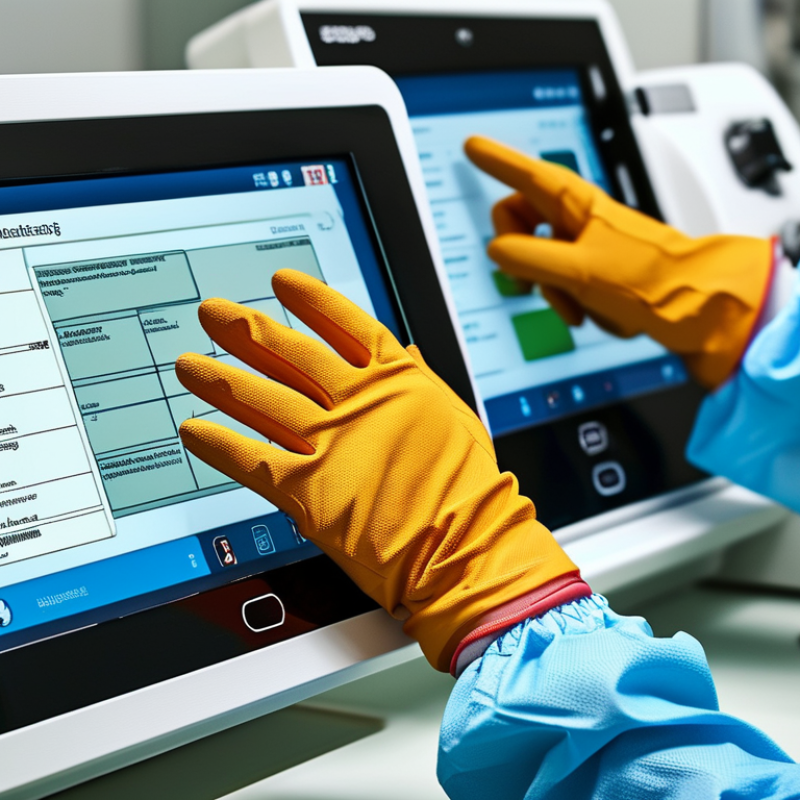
Touchscreen technology has evolved significantly, yet glove compatibility remains a challenge for many users. Understanding how touchscreens interact with gloved hands is crucial. Most standard touchscreens use capacitive technology, which relies on the electrical conductivity of human skin. Gloves can act as insulators, making it difficult to register touches. This poses a problem in cold environments, where users require gloves for warmth.
There are specialized touchscreens designed to detect gloved touch. These screens often use higher sensitivity levels or advanced materials that mimic skin conductivity. Users should consider touchscreen type and their glove material. For instance, thin gloves made of conductive fabric can improve compatibility without sacrificing warmth. Testing different gloves with your device can reveal practical, unforeseen challenges.
Choosing gloves for touchscreen use also involves considering comfort and usability. Some users may find certain gloves restrictive or overly bulky. It’s essential to balance warmth and functionality. While gloves might work with one device, they may not perform similarly with another. Users must experiment to find the right fit for their specific needs, acknowledging that results can vary based on several factors.
Key Factors Affecting Touchscreen Sensitivity with Gloves
Selecting gloves that work with touchscreens can be tricky. Many factors influence the sensitivity of touchscreens when used with gloves. It's essential to understand these key elements to make informed choices.
Material is a primary factor. Certain fabrics conduct electricity better than others, improving touchscreen performance. For instance, gloves made from special conductive fibers enhance responsiveness. However, remember that thicker gloves may hinder touch sensitivity. They can limit precision, making tasks challenging.
Temperature also affects glove compatibility. Cold weather can reduce glove flexibility and conductivity. Tips: Test your gloves with your devices in varying conditions. Frequent use can impact the lifespan of conductive fibers. Consider alternatives like styluses when precision is critical.
Additionally, touchscreen technology plays a significant role. Capacitive screens operate differently compared to resistive screens. Knowing your device's type helps in selecting gloves that work effectively. Not every glove will perform equally across all devices. Adjust your choice based on personal usage and device compatibility.
Industry Standards for Touchscreen Performance in Glove Use
When selecting glove-compatible touchscreens, understanding industry standards is crucial. According to the International Electrotechnical Commission (IEC), touchscreens should perform reliably even when used with gloves. Data shows that about 25% of users in outdoor environments rely on gloves while using their devices. This statistic highlights the necessity for touchscreens to maintain accuracy and responsiveness under such conditions.
Touchscreens must operate within certain parameters to ensure functionality with gloves. Studies suggest that sensitivity is essential. The typical threshold for glove compatibility is around 5-7 mm in thickness. Yet, many users find that standard screens often fail at this thickness level. A report from the Touchscreen Association indicates that only 60% of touchscreens meet these standards successfully. This calls for users to critically evaluate their options.
There’s a notable variation in touchscreen technology. Capacitive screens tend to be more sensitive than resistive types, but they may struggle with thicker gloves. Users need to be aware of the trade-offs when choosing a touchscreen. Not all gloves interact well with every screen type. The lack of individual testing data can confuse consumers. Hence, it’s vital to consider detailed specifications and user experiences before making a choice.
Comparative Analysis of Different Touchscreen Materials and Types
Choosing glove-compatible touchscreens requires careful consideration of materials. Various touchscreen technologies exist today, including resistive, capacitive, and infrared. Each type has unique characteristics and applications.
Resistive touchscreens use pressure to detect input. They work well with gloves but can be less sensitive than other types. Capacitive touchscreens, on the other hand, respond to the electrical conductivity of your finger. For gloves, they often require special materials. Infrared touchscreens utilize light, allowing for glove use without sacrificing sensitivity. However, they may struggle in bright environments.
**Tips:** Opt for capacitive screens with glove-friendly technology. Look for products tested in different conditions. Assess how they perform with various glove types. This can ensure a reliable user experience.
Another important aspect is durability. The choice of materials impacts both the touchscreen's longevity and its responsiveness. Not all touchscreens handle scratches or environmental factors well. In some scenarios, a screen protector might be necessary for added protection.
**Tips:** Check for user reviews on touchscreen performance with gloves. Remember, not every touchscreen performs consistently in all conditions. Explore real-world testing results to make informed decisions about your specific needs.
How to Choose Glove Compatible Touchscreens for Your Needs? - Comparative Analysis of Different Touchscreen Materials and Types
| Touchscreen Type |
Material |
Glove Compatibility |
Durability Rating |
Cost Range (USD) |
| Capacitive |
Glass |
Moderate |
High |
200 - 500 |
| Resistive |
Plastic |
High |
Medium |
100 - 300 |
| Infrared |
Glass or Plastic |
Moderate |
High |
250 - 600 |
| Surface Acoustic Wave |
Glass |
Low |
High |
300 - 800 |
| OLED |
Flexible Plastic |
High |
Medium |
150 - 400 |
Applications and Use Cases for Glove-Compatible Touchscreens
When selecting glove-compatible touchscreens, understanding specific applications can guide your choices. In industries like healthcare, gloves are standard to maintain hygiene. A study by Research and Markets indicates that the global healthcare touchscreen market is expected to grow at a CAGR of 10.5% through 2027. This highlights a demand for interfaces that function seamlessly, even with protective gear.
In industrial settings, durable touchscreens are crucial. Workers need interaction while wearing thick gloves. A report from MarketsandMarkets notes that the industrial touch panel market is projected to reach $12 billion by 2025. Such screens must withstand harsh environments and still provide accurate touch feedback. However, not all models achieve this balance, leading to user frustration and productivity loss.
Retail environments also benefit from glove-compatible screens. With the rising popularity of quick-service restaurants, fast transaction times can make or break customer satisfaction. A survey by National Restaurant Association found that 79% of diners prefer contactless payment options. Nevertheless, some touchscreen technologies lack responsiveness when used with gloves, which can hinder a swift service experience. Developers must find a way to combine functionality with user convenience in these settings.

 +86-13662287276