2026 Best Glove Compatible Touchscreens for Global Buyers
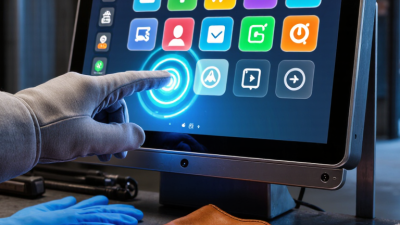
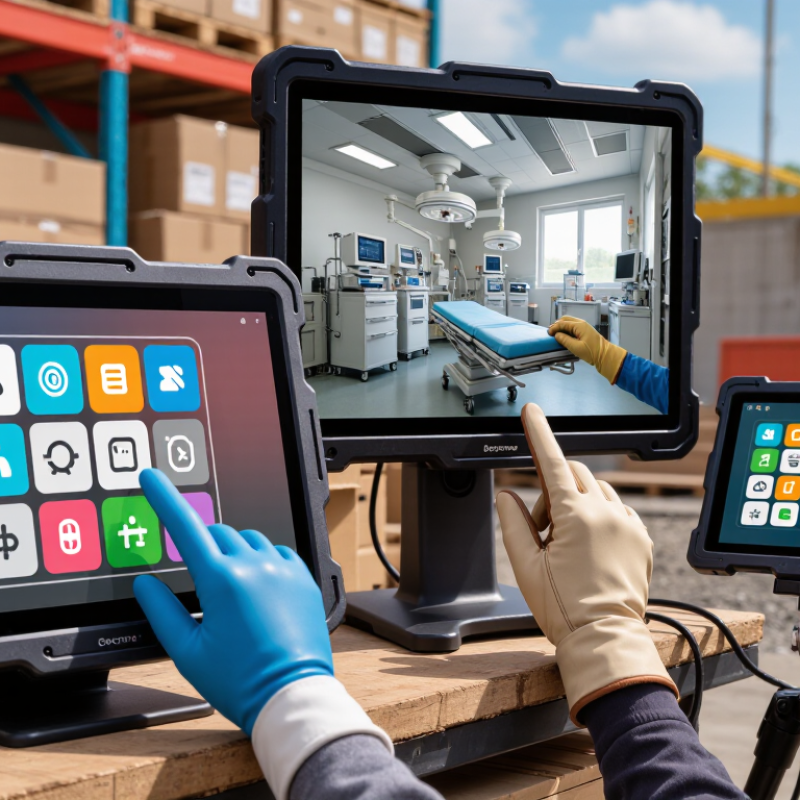
In 2026, Glove-Compatible Touchscreens are becoming practical equipment, not a specialist luxury. Buyers in logistics, healthcare, manufacturing, construction, and field services need reliable input through nitrile, latex, leather, and insulated gloves. A missed touch can interrupt a warehouse scan, delay a clinical record, or stop a machine inspection.
Industry forecasts support this shift. Fortune Business Insights’ touchscreen market analysis identifies industrial automation, healthcare, and transportation as important growth applications. Grand View Research also reports continuing demand for rugged displays in harsh operating environments. These findings matter because touchscreen purchasing is moving beyond brightness and resolution. Buyers now examine touch sensitivity, water resistance, optical clarity, impact protection, and performance across different glove materials.
Real conditions are less forgiving. A technician may press a 7-millimeter button with wet leather gloves, direct sunlight, and cold fingers. Some panels respond instantly. Others register a second touch or ignore it completely. IEC 60068 environmental testing and IP protection ratings provide useful reference points, but they do not guarantee comfortable glove operation. There is no single universal “glove-ready” standard for every industry.
This guide compares leading 2026 options through a buyer-focused lens. It considers capacitive technology, projected-capacitive tuning, resistive alternatives, screen size, durability, integration, and total ownership cost. Product brochures are helpful. Hands-on testing is better. We also acknowledge an uncomfortable limitation: laboratory performance may not match a dusty loading dock or a sterilized hospital room. The best choice depends on real workflows, glove thickness, climate, and acceptable error rates—not impressive specifications alone.
Capacitive Touchscreen Fundamentals: Gloves, Sensors, and Signal Detection
Capacitive touchscreens detect changes in an electric field, not physical pressure. A bare finger changes mutual capacitance between transparent electrodes. Ordinary fabric blocks this coupling. Conductive fibers create a bridge, but glove performance depends on fiber density, coating, thickness, and moisture.
The sensor controller measures tiny signal changes through a signal-to-noise ratio. Better glove-compatible panels usually combine higher receive sensitivity with firmware filtering. However, excessive sensitivity can cause false touches from rain, sleeves, or metal tools. A practical test should measure tap accuracy, edge response, wet-glove behavior, and operation through a 1.5-millimeter glove. Do not trust one laboratory result.
Market demand supports careful selection. Fortune Business Insights estimated the global touch screen display market at USD 74.35 billion in 2023, forecasting USD 130.66 billion by 2032. Its 6.6% compound annual growth estimate reflects wider use in vehicles, industrial equipment, medical devices, and public terminals. MarketsandMarkets also identifies rising demand for interactive displays and advanced touch controllers as key growth factors in its 2024 touchscreen controller analysis.
For global buyers evaluating 2026 models, sensor architecture matters more than a “glove mode” label. Mutual-capacitive systems often provide smoother multi-touch control, while projected-capacitive systems require careful tuning for thick or insulated gloves. Temperature changes can shift performance. So can screen protectors. A touchscreen that succeeds in a warm test room may struggle outdoors. That gap deserves honest attention.
Compatibility Metrics: Glove Thickness, Material, Accuracy, and Latency in ms
For global buyers, glove compatibility needs measurable proof, not a product label. Test performance across glove thickness, material, accuracy, and latency. ISO 9241-11:2018 supports evaluating usability in real operating contexts, including users, tasks, and environments. A 0.5 mm nitrile glove may respond easily, while a 1.5 mm insulated glove can reduce signal strength. Leather, coated fabric, and wet gloves often behave differently. Do not assume one successful touch proves full compatibility.
A practical acceptance test should record at least 20 touches per condition. Measure the distance between the intended target and the registered point. For industrial interfaces, a target error below 2 mm is a useful starting benchmark, though screen size changes the result. Keep touch latency under 100 ms where possible; human-computer interaction research commonly treats this range as immediate feedback. Some systems reach 50–80 ms in controlled tests, but field latency may increase with moisture, pressure, or protective covers. That difference matters.
Tips:
Test 0.5, 1.0, and 1.5 mm gloves. Include nitrile, leather, and insulated fabric. Record missed touches, false touches, accuracy, and latency separately. Repeat testing after cleaning the screen. A single dry-lab result is not enough. In my experience, thicker gloves are the hardest variable, but glove stitching and screen contamination can cause bigger failures. Testing should remain slightly skeptical.
Ruggedness Standards: IEC 60529 IP65–IP68 Ratings and Operating Temperatures
For global buyers, glove compatibility should never replace enclosure testing. IEC 60529 defines IP65 as dust-tight protection with resistance to water jets. IP66 adds protection against powerful water jets. IP67 covers temporary immersion up to one metre for 30 minutes. IP68 requires the manufacturer to state deeper or longer immersion conditions. That distinction matters. IP68 is not one universal depth rating.
In field trials, touchscreen response often changes with glove thickness, moisture, and surface pressure. A screen that responds to thin nitrile gloves may ignore insulated winter gloves. IEC 60529 does not measure touch sensitivity, glove operation, or display visibility. Buyers should request separate test records for wet-glove use, repeated touches, and palm rejection. Human factors matter.
Operating temperature needs equal attention. IEC 60068-2-1 and IEC 60068-2-2 provide recognized cold and dry-heat test methods, but the tested range may differ from the actual operating range. A specification of -20°C to 60°C can hide reduced battery life, slower touch response, or display fogging. Industry durability reports consistently identify ingress protection and temperature stability as major selection criteria for industrial human-machine interfaces. I have seen lab-perfect samples fail after rapid temperature changes. Reality is messier. Global buyers should compare operating, storage, and test temperatures separately, then verify performance with the gloves used in daily work.
2026 Best Glove-Compatible Touchscreens for Global Buyers
IEC 60529 IP ratings measure enclosure protection, not touchscreen glove performance. In the codes below, the first digit represents protection against solid particles and the second digit represents protection against water.
IP65 and IP66 are suitable for dust-tight equipment exposed to water jets. IP67 adds temporary immersion protection up to 1 metre for 30 minutes under the standard test condition. IP68 requires the manufacturer to specify the immersion conditions. Operating temperature and glove compatibility must be verified separately in the touchscreen datasheet.
Global Buyer Checklist: CE, FCC, UKCA, RoHS, Warranty, and Total Cost
For global buyers, glove compatibility is only one part of a reliable touchscreen purchase. Test the actual gloves, not just bare fingers. Thin nitrile, coated work gloves, and insulated winter gloves can produce very different results. Check response near the screen edges, with wet fingertips, and under bright sunlight. A practical test should include menus, typing, dragging, and emergency stop controls.
Compliance documents need careful checking. CE supports access to applicable European markets, while UKCA may apply in Great Britain. FCC requirements concern electromagnetic emissions in the United States. RoHS addresses restricted substances in electrical products. Do not accept logos alone. Request the declaration of conformity, test reports, product model number, and document issue date. The paperwork must match the exact touchscreen version. Small details matter.
Warranty terms can change the real purchase risk. Confirm coverage length, dead-pixel rules, touch failures, repair location, and return shipping responsibility. Ask whether installation damage or outdoor moisture is excluded. Calculate total cost beyond the quoted unit price. Include brackets, cables, protective glass, freight, import duties, local taxes, spare units, and technical support. A cheaper display may cost more after repeated replacements. Still, no checklist is perfect. Supplier documents can become outdated, and field conditions are often harsher than laboratory tests. Keep a sample for a short pilot before placing a large order.

 +86-13662287276